Comparing apps
Joist App Alternative Now That the Free Plan Is Gone
This guide is for people who used the Joist invoicing app on its free plan and need to choose what to do next.
Updated · 7 min read

The short answer
A Joist app alternative has to replace a plan that no longer exists. In Mar 2023 Joist's free Starter plan listed unlimited estimates, invoices and clients. [1] Today the page says the free plan is no longer available and offers a 14-day trial. [2] Basics now lists up to 5 documents a month. [2] Choose by how many documents you send and which features you need.
What the free plan used to include
An archived copy of Joist's pricing page from Mar 23 2023 shows three plans. Starter was $0 and listed unlimited estimates, invoices and clients, online payments, homeowner financing and deposits and payment schedules. [1] Pro was $13 a month and Elite was $30. [1]
The page we read on Nov 14 2026 says the free plan is no longer available, and all users can try Joist free for 14 days. [2] We did not find a notice that says when the free plan ended, so we do not give a date.
We only read one older copy of the page. We cannot say what Joist charged in between.

If you only send a few documents
Many small owners are on the free plan because they send a few documents a month. Count yours before you pay anyone. If you send five estimates and five invoices or fewer in a month, InvoiceWren Free covers it [4]. Joist Basics lists up to 5 documents a month in total [2], so a month of 4 estimates and 3 invoices is already over it.
Free is not unlimited, and we will not pretend it is. When your volume grows, the paid plans are the answer. The question for now is whether the free plan you can still use fits the month you really have.
Joist then and now
| Feature | Mar 23 2023 | Nov 14 2026 |
|---|---|---|
| Free plan | Starter, $0, unlimited estimates, invoices and clients | No free plan; 14-day trial |
| Pro | $13 a month | $17 a month |
| Elite | $30 a month | $32 a month |
| Entry plan limit | None listed on Starter | Basics: up to 5 documents a month |
Sources: Joist's pricing page, archived Mar 23 2023 [1], and read Nov 14 2026 [2]. The 2026 page shows several prices on each card; these are the prices on the monthly view.
How to choose a replacement
Four questions decide it. Answer them with last month's real numbers.
-
Count the documents you send in a month
Open your sent estimates and invoices for your busiest month. If it is five or fewer of each, a free plan can still work. If it is more, price a paid plan.
Helps avoid paying for a plan you do not need
-
List the features you used
Write down what you really used: deposits, photos on documents, your logo, change orders, payment reminders. On Joist's page, change orders are under Elite and your logo is under Pro. [2]
Never skip the one feature you cannot work without
-
Decide how clients will pay
Joist takes card payments inside the app, with a fee of up to 3.49% plus 49 cents on each card payment. [3] Some apps let your client pay you directly, so the app takes no fee. Decide which you prefer before you compare prices.
Helps avoid a fee you did not plan for
-
Test one real job
Do not judge an app by the first screen. Enter one real estimate, send it to yourself, and look at what your client sees. Then export your client list before you leave Joist.
Never skip a copy of your client list
Moving your data out of Joist
Do it before the trial or plan ends, not after. Export your client list and keep a copy of every open estimate and unpaid invoice. You can import your clients and items from a CSV or Excel file: the file is read on your device, every row is checked before anything is saved, and you can undo the import.
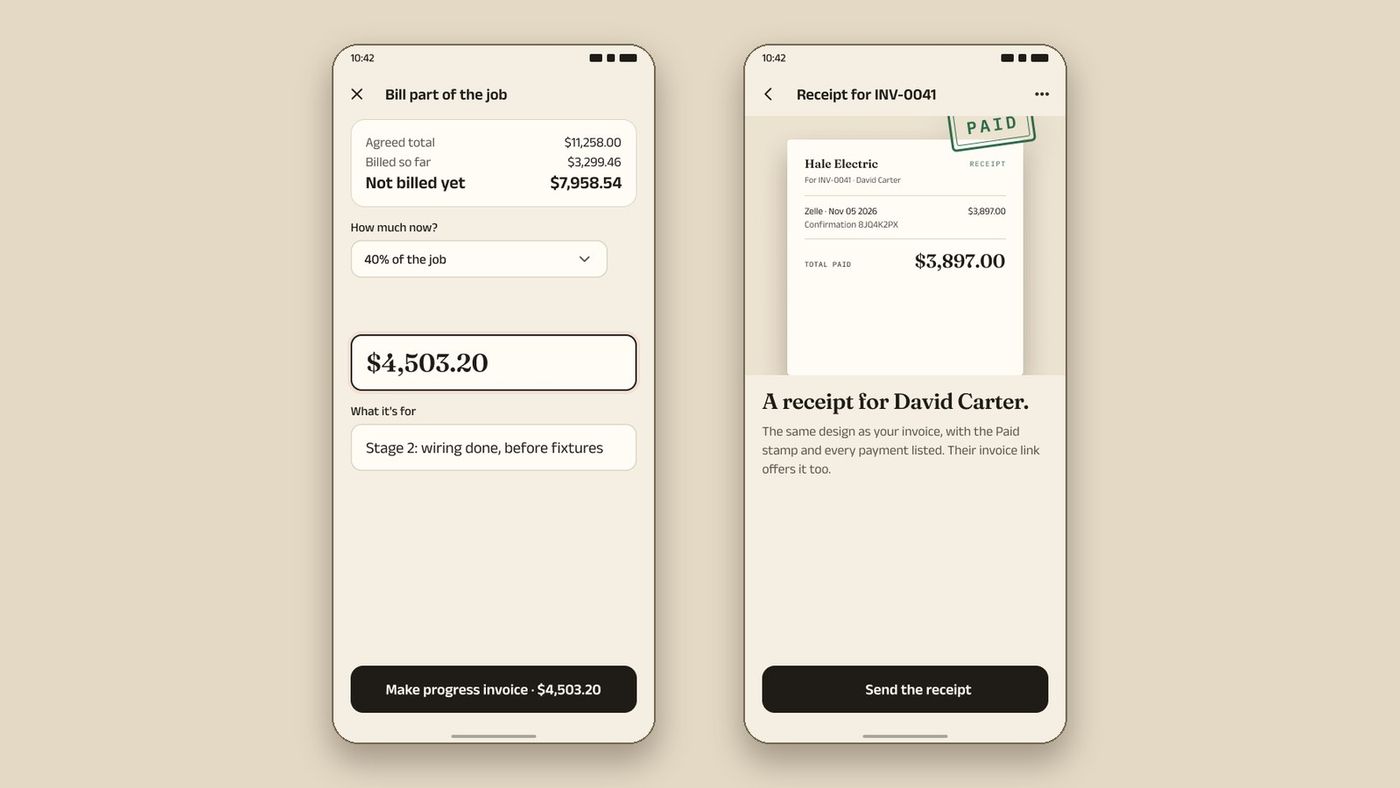
Do not try to move old invoices into the new app. They are history. Keep the PDFs and start every new job in the new app. If a client asks about an old invoice, you have the document. See InvoiceWren's pricing, change orders and progress invoices.
Where InvoiceWren fits, and where it does not
InvoiceWren has a free plan that is not a trial: 5 invoices and 5 estimates a month. [4] It is not unlimited, and we will not pretend it is. Your first job has every Pro feature, free. [4] Pro is $12.97 a month or $127 a year, with unlimited invoices and estimates. [4]
Every estimate can be signed by your client, and deposits are on every plan. [4] Change orders and progress invoices are on Pro, and free on your first job. [4] Your client pays you directly by Zelle, bank transfer or your own payment link, and we take no fee on payments. [4]
InvoiceWren does not process card payments itself, so if you want clients to pay by card inside the app, Joist does that and we do not. The iPhone and Android apps are being tested now and will be available before the end of 2026. The web app works on a phone today.
What Pro costs over a year
Made-up arithmetic using the prices on each company's page.
| Joist Pro on monthly billing: $17.00 × 12 | $204.00 |
|---|---|
| InvoiceWren Pro on monthly billing: $12.97 × 12 | $155.64 |
| InvoiceWren Pro billed yearly | $127.00 |
| Difference, Joist monthly against InvoiceWren yearly | $77.00 |
$17.00 × 12 = $204.00. $12.97 × 12 = $155.64. $204.00 − $127.00 = $77.00. Joist also lists lower prices on annual billing, so check the page. [2][4]
Before you move away from Joist
- I exported my client list
- I saved copies of my open estimates and unpaid invoices
- I know which Joist features I really used
- I checked the card fee against my payments last month
- I tested one real job in the new app before I stopped using Joist
Questions
Does Joist still have a free plan?
No. Its pricing page says the free plan is no longer available, and offers a 14-day free trial with no credit card. [2]
What was in the old Joist free plan?
On the Mar 23 2023 copy of the page, Starter was $0 and listed unlimited estimates, invoices and clients. [1] It also listed online payments and deposits. [1]
What is the cheapest Joist plan now?
Basics, with up to 5 documents a month. The page shows prices between $8.34 and $12 a month for it. [2]
Is there a free alternative to Joist?
InvoiceWren's free plan sends 5 invoices and 5 estimates a month. [4] It is limited, so check that it fits your month.
Can I move my data from Joist to InvoiceWren?
You can add your clients in InvoiceWren as you go, or import a list from a CSV or Excel file. We do not import straight from Joist, so export your list from Joist first.
Which Joist plan has change orders?
Elite. [2] In InvoiceWren, change orders are on Pro and free on your first job. [4]
Will InvoiceWren import my Joist documents?
No. You can import clients and items from a CSV or Excel file. Keep old estimates and invoices as PDFs and start new jobs in InvoiceWren.
Is InvoiceWren a good fit if I take card payments in Joist today?
Only if you can move clients to Zelle, a bank transfer or a link to your own account. InvoiceWren does not process cards itself.
Related pages
Keep reading


Try a free plan with change orders on your first job
5 invoices and 5 estimates a month, free. Your first job has every Pro feature.
Get started freeSources
- Joist pricing page, archived Mar 23 2023. Checked .
- Joist pricing page, read Nov 14 2026. Checked .
- Joist support: transaction fee for Joist Payments. Checked .
- InvoiceWren pricing. Checked .
Prices and features change. We check these pages before each update. If something here is out of date, tell us at hello@invoicewren.com and we will fix it.